
Show the formula and working
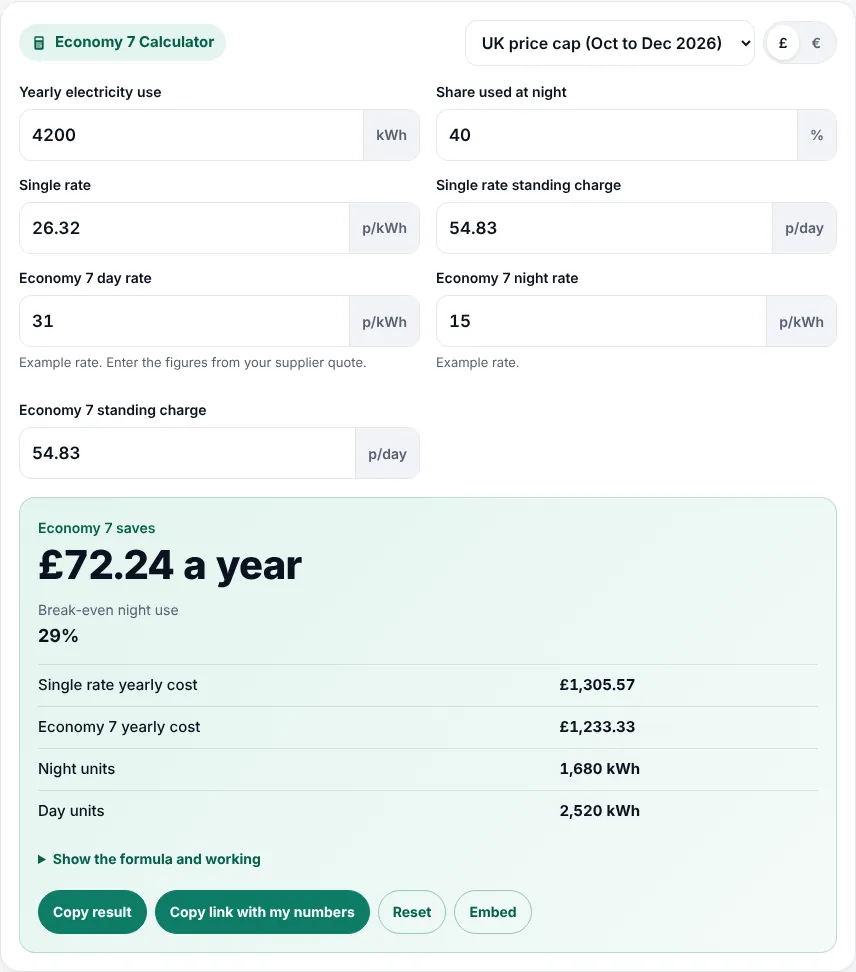
This Economy 7 calculator tells UK households whether a day and night Economy 7 tariff will cost less than a single rate tariff for the way they use electricity. Enter your yearly use, the share used at night, the single rate and standing charge, and the Economy 7 day rate, night rate and standing charge. It shows the yearly cost of both, the saving or extra cost, and the night share at which they break even.
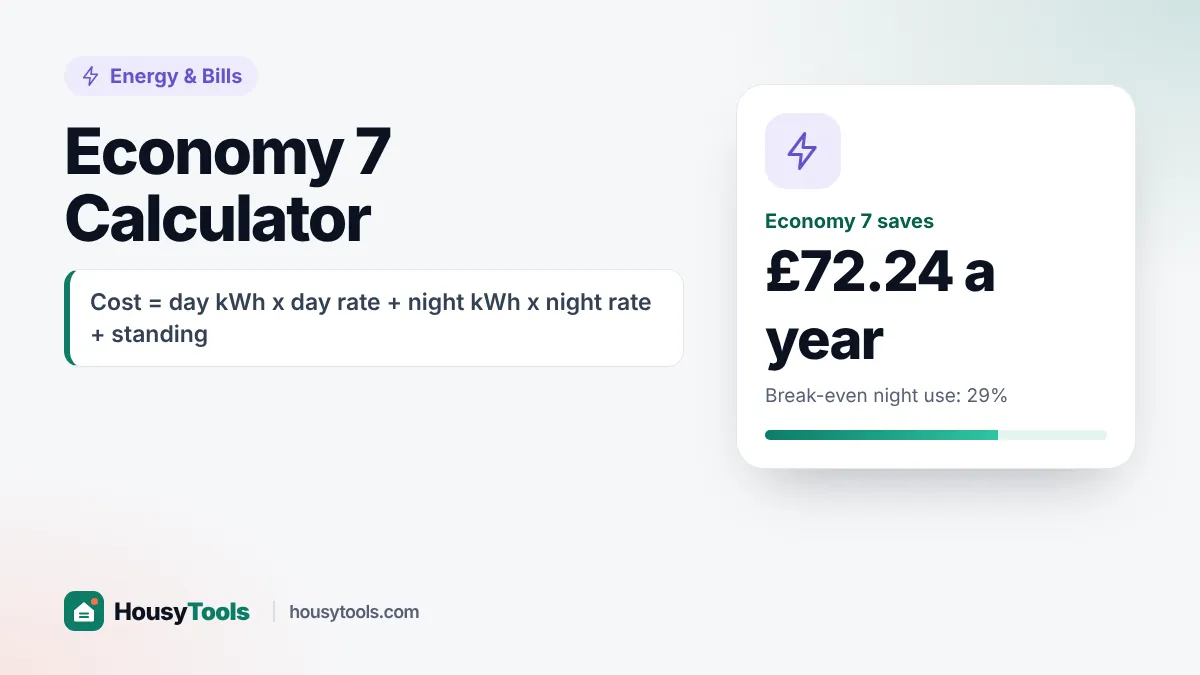
Quick answer: an Economy 7 calculator prices your day units at the day rate and night units at the night rate, adds standing charges and compares the total with a single rate. With example rates of 31p day and 15p night against 26.32p, Economy 7 breaks even at 29% night use.
What Is an Economy 7 Calculator?
An Economy 7 calculator is a tool that compares the yearly cost of an Economy 7 tariff, which has a cheaper rate for seven night hours, with a single rate tariff for the same electricity use.
The formula in plain words: single rate cost equals yearly kWh times the single unit rate plus 365 days of standing charge. Economy 7 cost equals day kWh times the day rate, plus night kWh times the night rate, plus 365 days of the Economy 7 standing charge. The difference is your saving. The break even night share is the percentage of night use at which both totals are equal.
How Do You Use the Economy 7 Calculator?
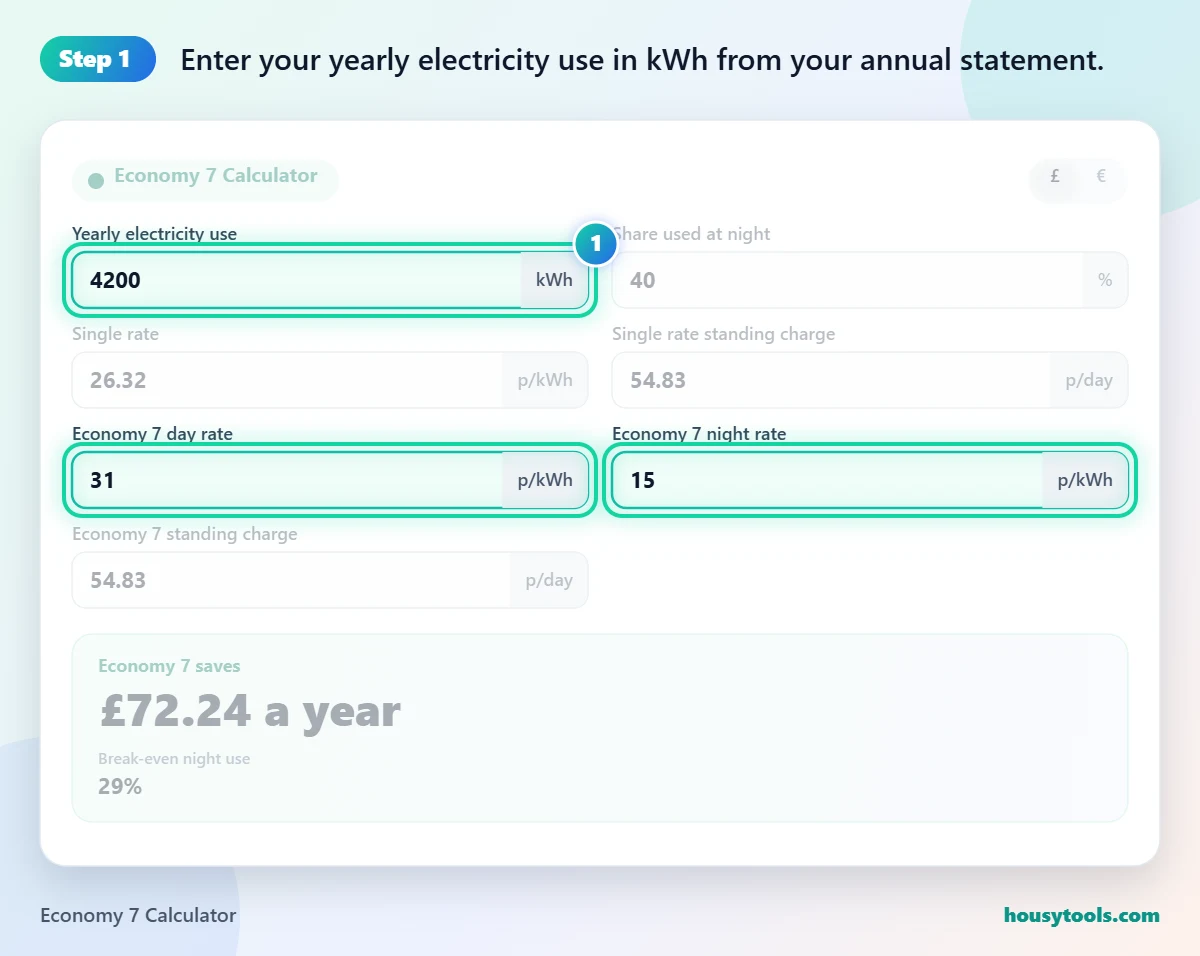
- Enter your yearly electricity use in kWh from your annual statement. Add the day and night totals if you already have Economy 7.
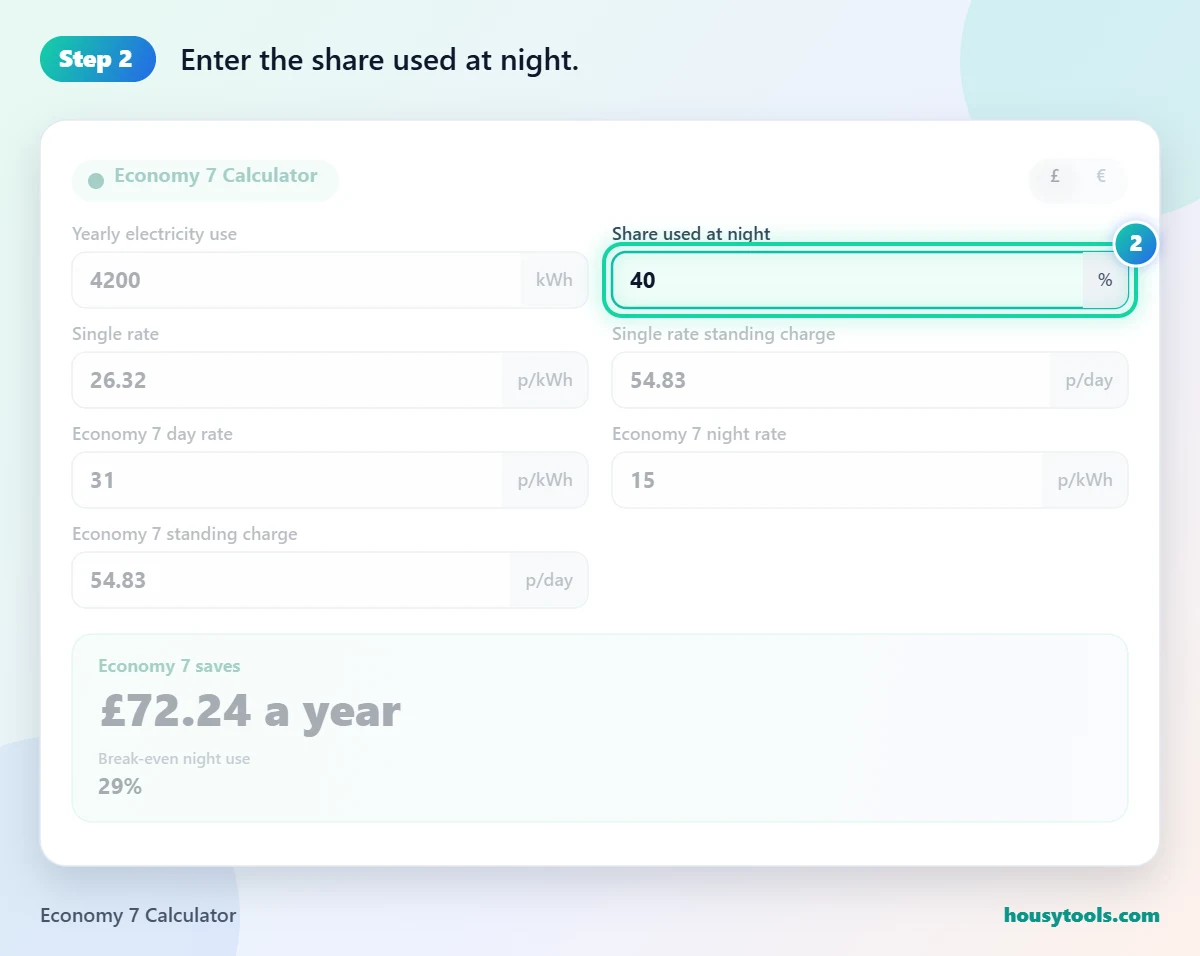
- Enter the share used at night. Night kWh divided by total kWh, times 100.
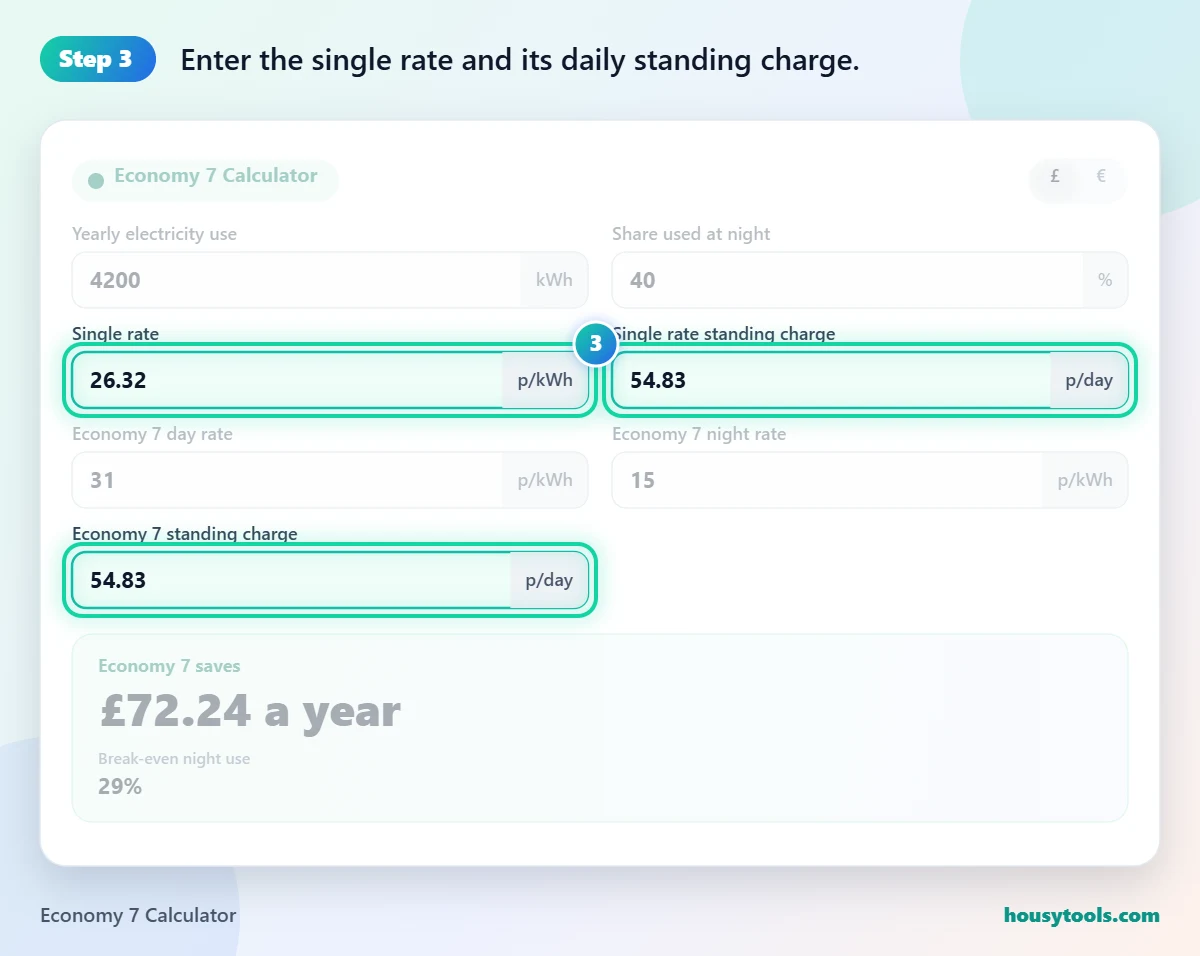
- Enter the single rate and its daily standing charge. The defaults are the Ofgem cap for October to December 2026.
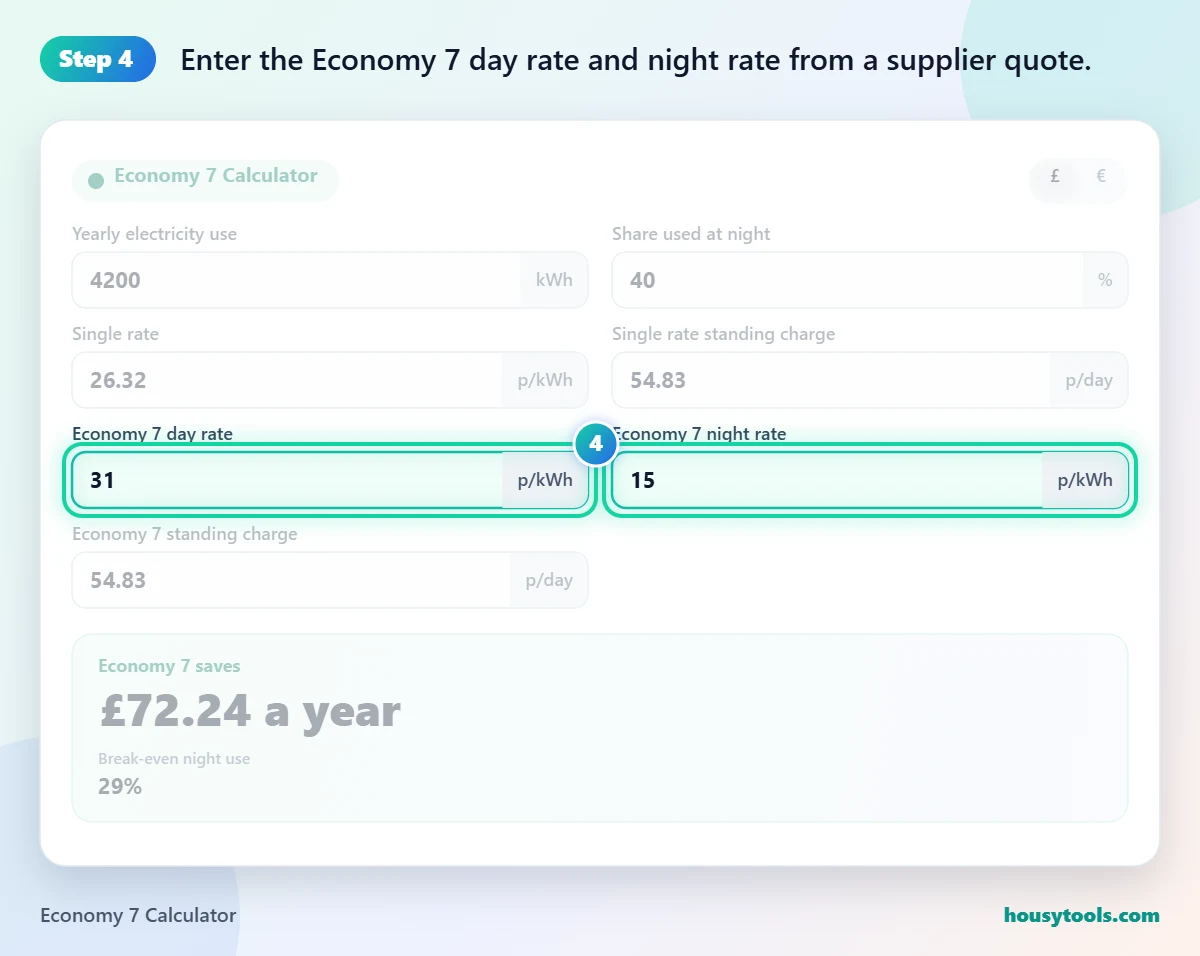
- Enter the Economy 7 day rate and night rate from a supplier quote. The 31p and 15p defaults are examples only.
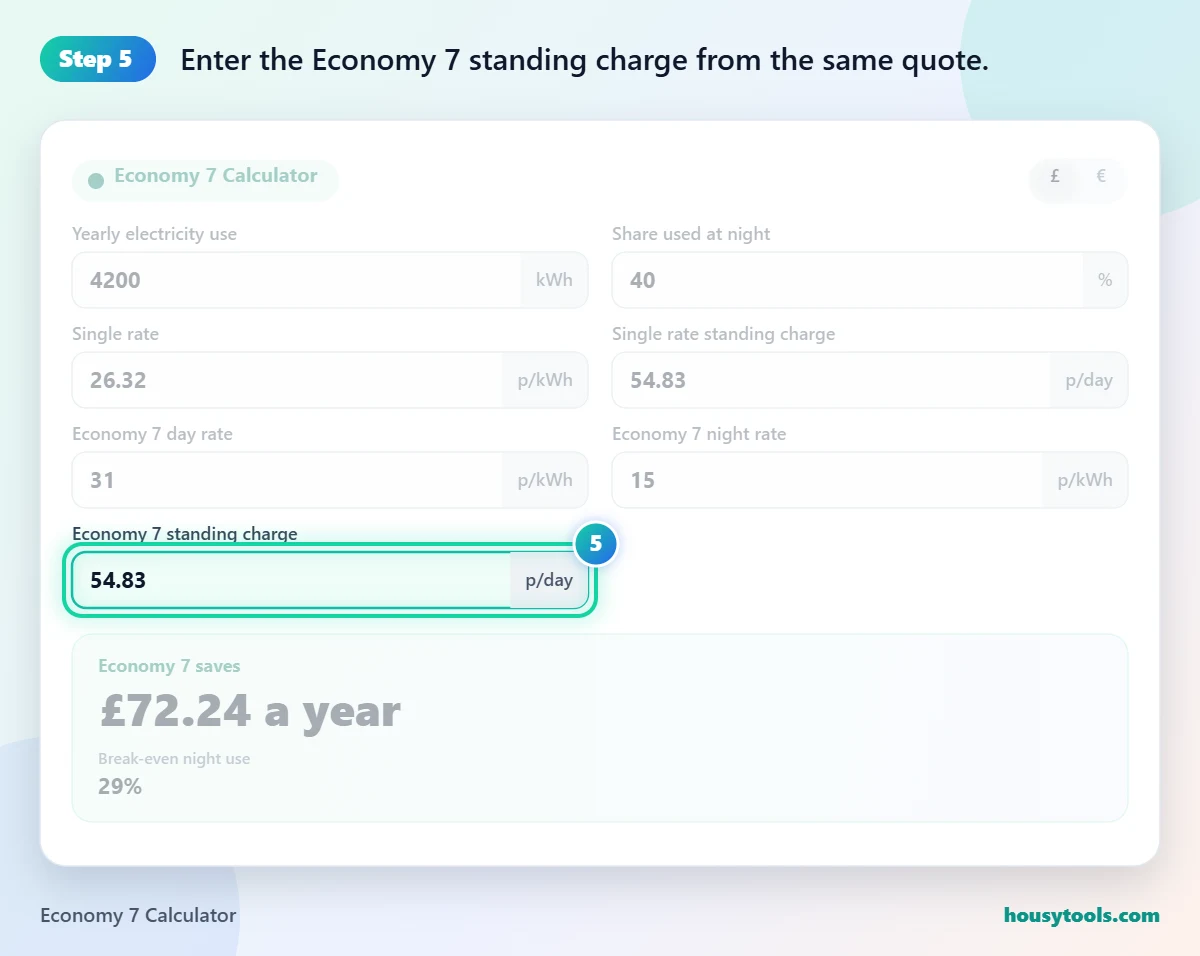
- Enter the Economy 7 standing charge from the same quote.
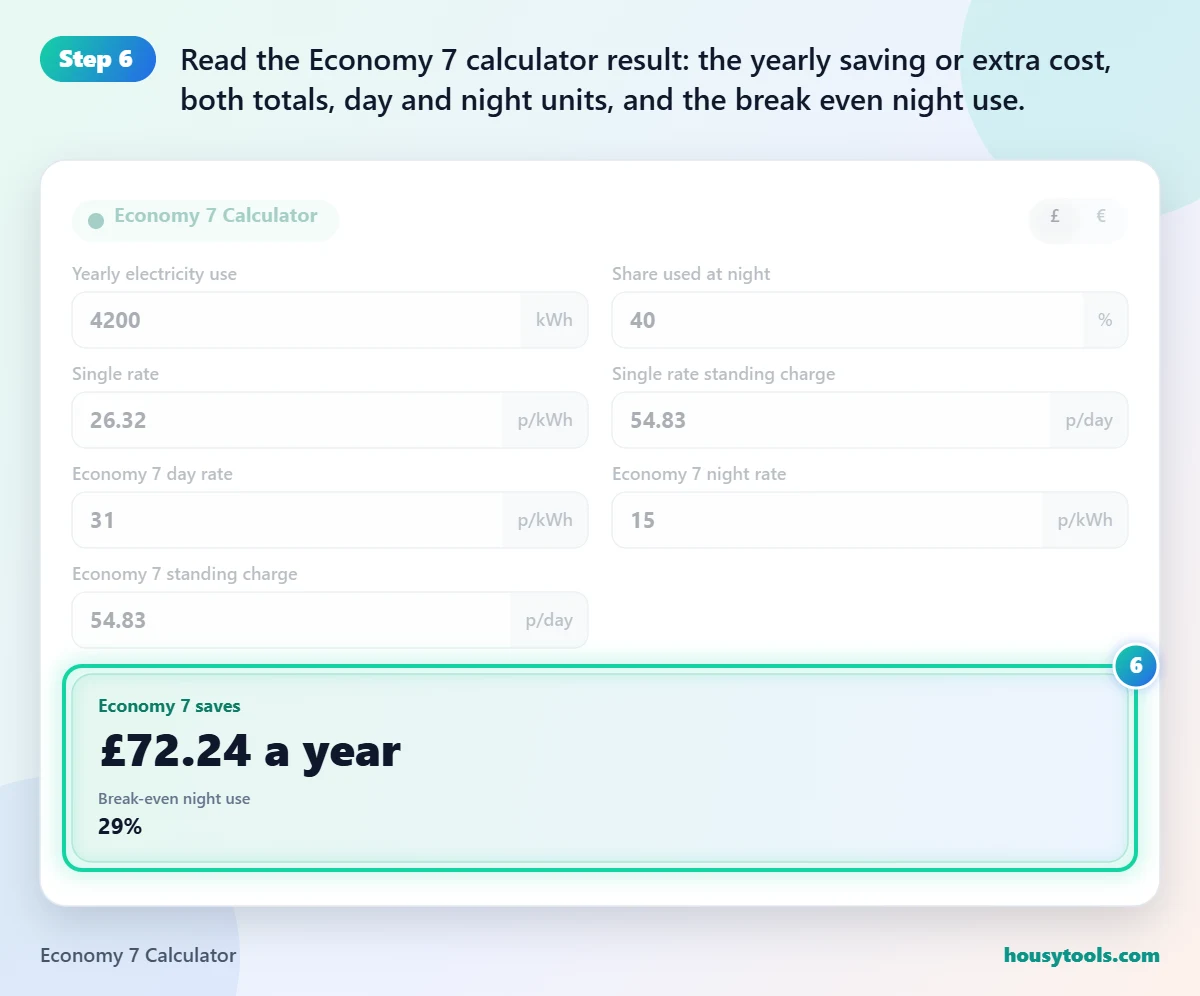
- Read the Economy 7 calculator result: the yearly saving or extra cost, both totals, day and night units, and the break even night use.
Is Economy 7 Worth It?
Economy 7 is worth it when your night share is above the break even point for your rates; with example rates of 31p day and 15p night against a 26.32p single rate and equal standing charges, that point is 29%. Below it, the higher day rate costs more than the night discount saves.
Many guides quote 40% as a rule of thumb, but the real figure moves with the gap between the rates. A wider gap between day and night lowers the break even point, while a day rate well above the single rate raises it. That is why the Economy 7 calculator works it out from your own numbers. Ofgem’s Economy 7 guidance puts it simply: if you do not use much electricity at night, a single rate tariff is likely to be better.
How Much Can Economy 7 Save a Typical Home?
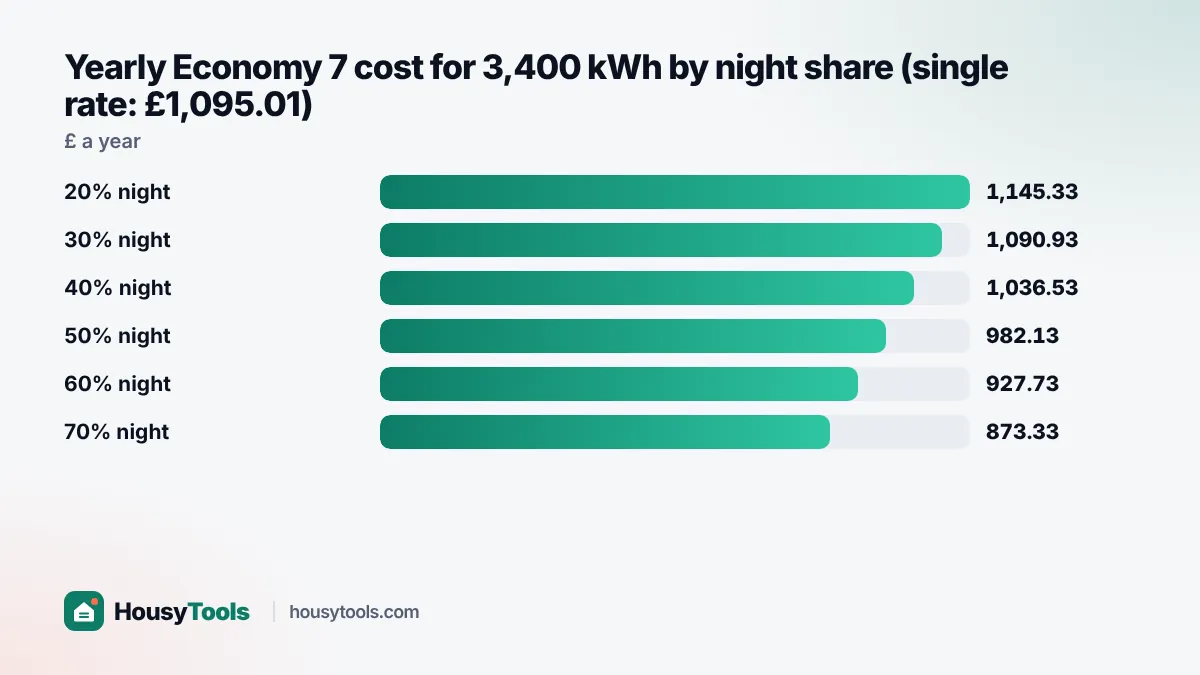
A typical Economy 7 home using 3,400 kWh a year with 42% at night saves about £69 a year with the example rates in this Economy 7 calculator. Those figures are Ofgem’s typical consumption value for multi rate meters and its standard off-peak split, which apply from 1 July 2026.
| Night share | Economy 7 yearly cost | Single rate yearly cost | Difference |
|---|---|---|---|
| 20% | £1,145.33 | £1,095.01 | £50.32 more |
| 30% | £1,090.93 | £1,095.01 | £4.08 saved |
| 40% | £1,036.53 | £1,095.01 | £58.48 saved |
| 50% | £982.13 | £1,095.01 | £112.88 saved |
| 60% | £927.73 | £1,095.01 | £167.28 saved |
| 70% | £873.33 | £1,095.01 | £221.68 saved |
What Times Are Economy 7 Off-Peak Hours?
Economy 7 gives seven cheaper hours, often from midnight to 7am, but the exact window depends on your supplier, region and meter. Citizens Advice gives 11pm to 6am as another common example.
Your supplier tells you the hours when you sign up, and they may not move when the clocks change, so check before setting timers on storage heaters, the immersion heater, the dishwasher or an EV charger. Shifting a load into the window raises your night share, which you can test straight away in the Economy 7 calculator.
How Do I Work Out My Night Share?
Divide your night kWh by your total kWh and multiply by 100, then enter that in the Economy 7 calculator: 1,428 night units out of 3,400 is 42%. If you already have Economy 7, your annual statement or the two registers on the meter give both totals.
If you are on a single rate with a smart meter, your supplier’s app may show half hourly use you can add up for midnight to 7am. Without that, estimate it: list what runs overnight (storage heaters, hot water cylinder, EV charging, appliances on timers) and use the electricity cost calculator to find the kWh of each.
Worked Example: Linda’s Storage Heater Flat
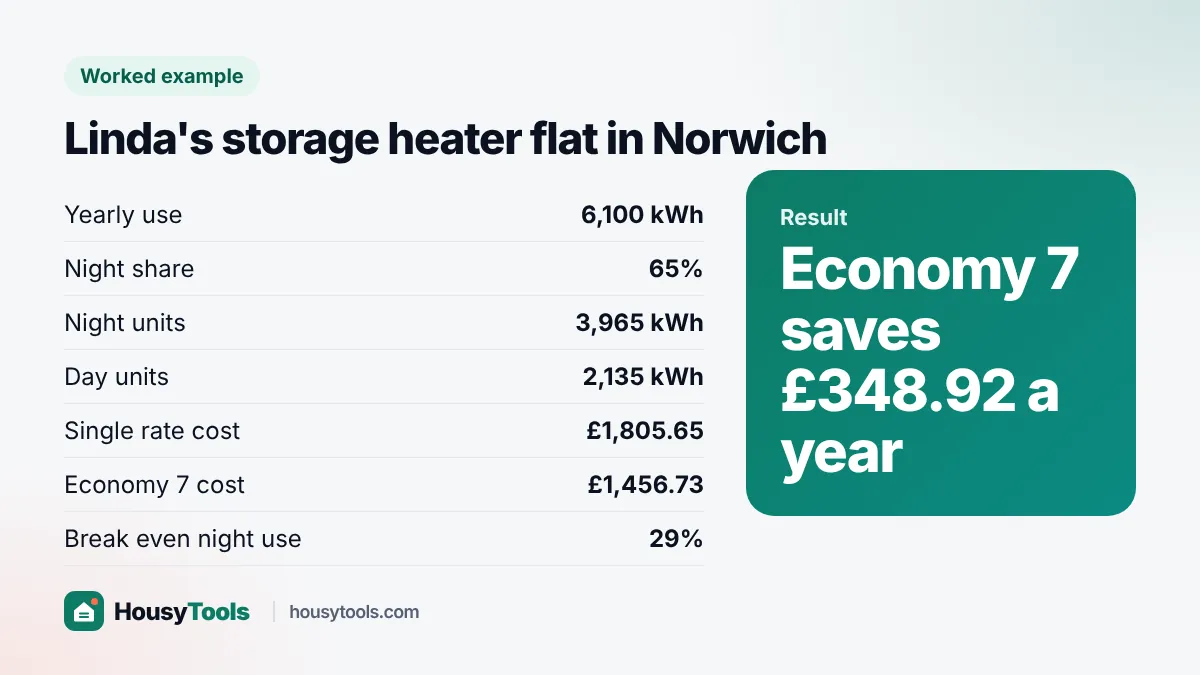
Linda rents an all electric flat in Norwich with storage heaters and an immersion cylinder that both charge overnight. Her statement shows 6,100 kWh a year, of which 3,965 kWh is on the night register, a 65% night share. She has a quote with a 31p day rate, 15p night rate and the same 54.83p standing charge as the single rate.
- Single rate: 6,100 x 26.32p + 365 x 54.83p = £1,805.65
- Economy 7: 2,135 x 31p + 3,965 x 15p + 365 x 54.83p = £1,456.73
- Saving: £348.92 a year
- Break even night use: 29%
Because Linda’s night share is far above the 29% break even, the Economy 7 calculator confirms the tariff suits her. If she moved to a single rate, the Economy 7 calculator shows her bill would rise by about £29 a month.
Should You Choose Economy 7 or a Smart Time of Use Tariff?
Choose the tariff whose cheap hours match when you actually use power: Economy 7 suits loads that run in one long overnight block, such as storage heaters and hot water cylinders. Citizens Advice notes that some newer time of use tariffs vary rates over shorter blocks, which might not work well for charging storage heaters.
With a smart meter, suppliers offer a growing range of time of use and EV tariffs. To compare one with Economy 7, enter its off-peak rate as the night rate and the share of your use that falls in its cheap hours as the night share. Run the Economy 7 calculator once for each quote, keep the standing charge from each, and pick the lowest yearly cost rather than the lowest headline rate.
Common Mistakes When Comparing Economy 7 Tariffs
- Comparing only the night rate and forgetting that most of a typical home’s use is in the day.
- Ignoring a different standing charge on the Economy 7 tariff.
- Guessing the night share instead of reading the two registers.
- Running appliances just outside the off-peak window.
- Using old rates. Under the price cap, Ofgem says the multi rate unit rates together cannot be more than the cap.
The single rate defaults currently carry no VAT, because VAT on household electricity is 0% from 1 October 2026 to 31 March 2027, according to Ofgem’s price cap rates page. Enter supplier quotes on the same basis so the Economy 7 calculator compares like with like. If you charge an electric car overnight, the EV charging cost calculator shows the cost of that load alone.
Economy 7 Calculator FAQs
What percentage of night use makes Economy 7 worthwhile?
It depends on your rates. With example rates of 31p day and 15p night against a 26.32p single rate and equal standing charges, the break even is 29%. A smaller gap between the rates pushes it higher, so check your own quote.
Can I switch from Economy 7 to a single rate tariff?
Usually yes, though it may mean a meter change or a smart meter set up for a single rate. Ask your supplier what is involved, and run the Economy 7 calculator first with both tariffs to see which option is cheaper for you.
Is Economy 7 good for charging an electric car?
It can be, because overnight charging adds a lot of night units and raises your night share. Dedicated EV tariffs often have cheaper or longer off-peak windows, so compare both with your expected charging kWh.
Do Economy 7 hours change when the clocks go forward?
It depends on your meter. Ask your supplier whether your off-peak window follows the clock change or stays on GMT all year, because a one hour shift in summer can push timers for storage heaters or an EV outside the cheap hours.
How much electricity does a typical Economy 7 home use?
Ofgem’s typical domestic consumption value for multi rate meters such as Economy 7 is 3,400 kWh a year from 1 July 2026, with 42% of it in the off-peak hours. Homes with storage heaters use much more.
What is the difference between Economy 7 and Economy 10?
Economy 7 gives seven cheaper hours, usually in one overnight block. Economy 10 gives ten cheaper hours, often split across the night, afternoon and evening. The Economy 7 calculator also works for Economy 10 if you enter the off-peak share and rates.
Checked October 2026. Sources: Ofgem Economy 7 tariff guidance, Ofgem energy price cap, Ofgem typical domestic consumption values 2026, Citizens Advice.